Requirements
VonCMS keeps the production server ordinary. Source development needs Node tooling, but runtime hosting does not.
PHP
PHP 8.2 or newer for the runtime and API layer.
Database
MySQL 5.7 or newer, or a compatible MariaDB installation. Confirm hosting compatibility before installing.
Web Server
Apache or LiteSpeed with .htaccess support. Nginx deployments need equivalent rewrite configuration.
Source Work
Node.js 22.22 or newer and npm are only needed when building or modifying the source.
Deploy ZIP Install
Use this path for normal site owners and shared-hosting installs.
# Requirements
PHP 8.2+ / MySQL / Apache or LiteSpeed

# Download
Latest VonCMS Deploy ZIP

# Upload and install
extract into public_html/
open https://yourdomain.com/install
read data/install_setup.key using File Manager or SFTP

# Finish
connect database
create admin account
publish or import content- Download: Get the latest VonCMS Deploy ZIP from GitHub Releases.
- Upload: Extract the ZIP into the hosting web root.
- Database: Create a MySQL database and database user.
- Setup key: Open
/installto generate a key, then readdata/install_setup.keyusing your hosting File Manager or SFTP. Enter it in the installer to authorize setup. - Installer: Connect the database and create your admin account. The setup key is consumed after installation.
- Admin: Sign in at
/admin, choose a theme, then publish or import content.
Production hosting does not need Node.js, Vite, npm, or a separate frontend server.
First-run Checklist
After installation, sign in at /admin or /login with the account you created.
- Set your site name, tagline, and Settings > General > Domain URL. Use the exact public HTTPS address, including a subfolder if you installed under one.
- Choose a public theme, upload a logo and favicon, and select your Header Identity mode.
- Create a category and public navigation items. Add About, Contact, or other static content through Pages.
- Review the SEO defaults and inspect your sitemap and robots output.
- Create a test article, preview it, and check the public site on desktop and mobile.
- Make an external backup of the database, configuration, and uploads.
If an admin menu is missing, check your role and whether its module is enabled. Not every account can access owner-only settings or maintenance tools.
Editorial Workflow
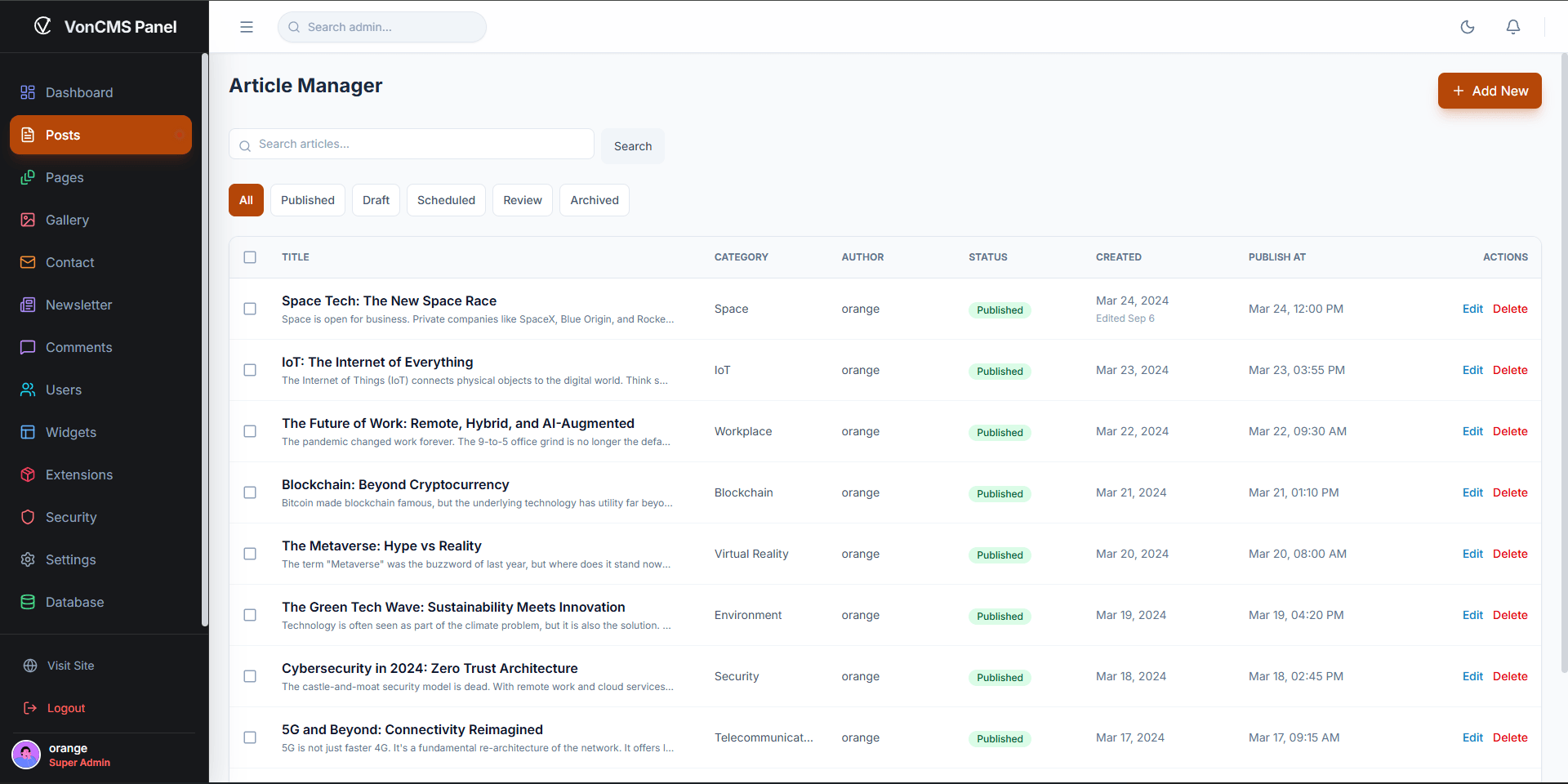
Writer submissions separate drafting from publishing. Use this workflow when someone else needs to review an article before it goes live.
- Write: A Writer prepares a draft in the article editor.
- Submit: The draft moves to staff review and appears in the Writer's Submitted tab.
- Review: Moderators, Admins, and Root can return the draft, schedule it, or publish it from the Review queue.
- Revise: Writers can withdraw and revise their submissions without receiving publishing permission.
Submitted posts are read-only for Writers until withdrawn to Draft. Reviewers must save body edits before choosing Return, Schedule, or Publish; a status change does not silently save unsaved edits. The original Writer remains the author.
Review applies to posts. Pages use their existing workflow. On a phone or tablet, use Write for content, Publish for metadata and status, and the bottom actions to save.
Optional staff AI writing requires a configured provider. The built-in local AI Summary extension is separate and does not need an external API key.
Included Systems
VonCMS ships the core publishing surface as baseline product behavior.
Content
Posts, pages, drafts, scheduled publishing, rich TipTap editing, media manager, categories, excerpts, metadata, keywords, responsive images, and quick edit.
Admin
Dashboard, settings, users, role boundaries, comments moderation, contact forms, newsletter tools, analytics, database utilities, audit logs, and repair tools.
Public Site
Bundled themes, navigation menus, profiles, category views, search, comments, feeds, sitemap, robots output, llms.txt, JSON-LD, canonical URLs, Open Graph, and Twitter cards.
Developer Surface
Theme registry, plugin registration, PHP APIs, source documentation, integration smoke tests, release packaging, and GPL-3.0-only licensing.
Media and WordPress Import
Use Gallery for featured images and reusable article media. The media tools support WebP processing, responsive variants, thumbnail regeneration, and syncing files placed in the uploads directory through your hosting tools.
- For a WordPress migration, export your content as WordPress XML and test the import on a staging installation.
- Review imported articles, categories, images, embeds, and public links. Keep the original site and export until those checks pass.
- Plan redirects before changing domains or public URLs. WordPress themes and plugins are not VonCMS extensions.
Back up files before using orphan-media cleanup or other destructive tools. Image conversion and available controls depend on settings and permissions.
SEO and Public Discovery
The configured Domain URL owns the canonical origin for metadata, social cards, structured data, sitemap, feeds, and crawler files. Set it explicitly rather than relying on the incoming request hostname.
- Review site-wide title and description defaults, then set useful article metadata in the editor.
- Check the public
/sitemap.xml,/robots.txt, RSS, canonical links, and social previews after setup or a domain change. - Public pagination exposes real
?page=Nlinks for crawlers and browsers without JavaScript, while preserving category, search, and subfolder scope. - If using IndexNow, verify its configured key and status. Search engines still control indexing and rankings.
- For a subfolder installation, configure the host-root
/robots.txtto reference the publication's sitemap. A subfolder robots file does not replace the host-root policy.
An orphan-page audit warning means the crawler did not find an incoming internal link during that crawl. Inspect actual navigation and article links, rerun the crawl after an upgrade, and compare with Search Console rather than adding hidden crawler-only links.
Audience Tools and Analytics
Comments and subscribers
Moderate comments and replies, manage newsletter subscribers, and export subscriber lists. Use the enabled widgets and modules that suit your publication.
Contact forms and ads
Configure contact forms and delivery settings, then test a real submission. Verify ad and widget placements on desktop and mobile after changing a theme.
Optional analytics
Native Analytics and Google Analytics handling are consent-aware. Check the configured analytics tools and visitor consent behavior before collecting data.
Optional AI writing
Staff drafting and review tools require a configured external provider. The local AI Summary extension is a separate feature that does not call an external API.
Authenticated SMTP requires encrypted TLS or SSL transport. Confirm your provider details and test delivery before relying on contact or account emails.
Themes
VonCMS ships with Default, TechPress, Digest, Portfolio, Prism, and Corporate Pro themes. Theme registration lives in the core theme registry, while implementations live under the source theme folders.
Theme Registry
The registry connects bundled and custom themes to the admin and public runtime. Theme implementations live under src/themes/.
Local Fonts
Fresh installs use Inter locally. Read the Custom Fonts guide when a theme needs a licensed typeface.
Theme Contract
Custom themes should preserve shared theme props, SEO ownership, the public content renderer, and the existing runtime APIs.
Admin Appearance
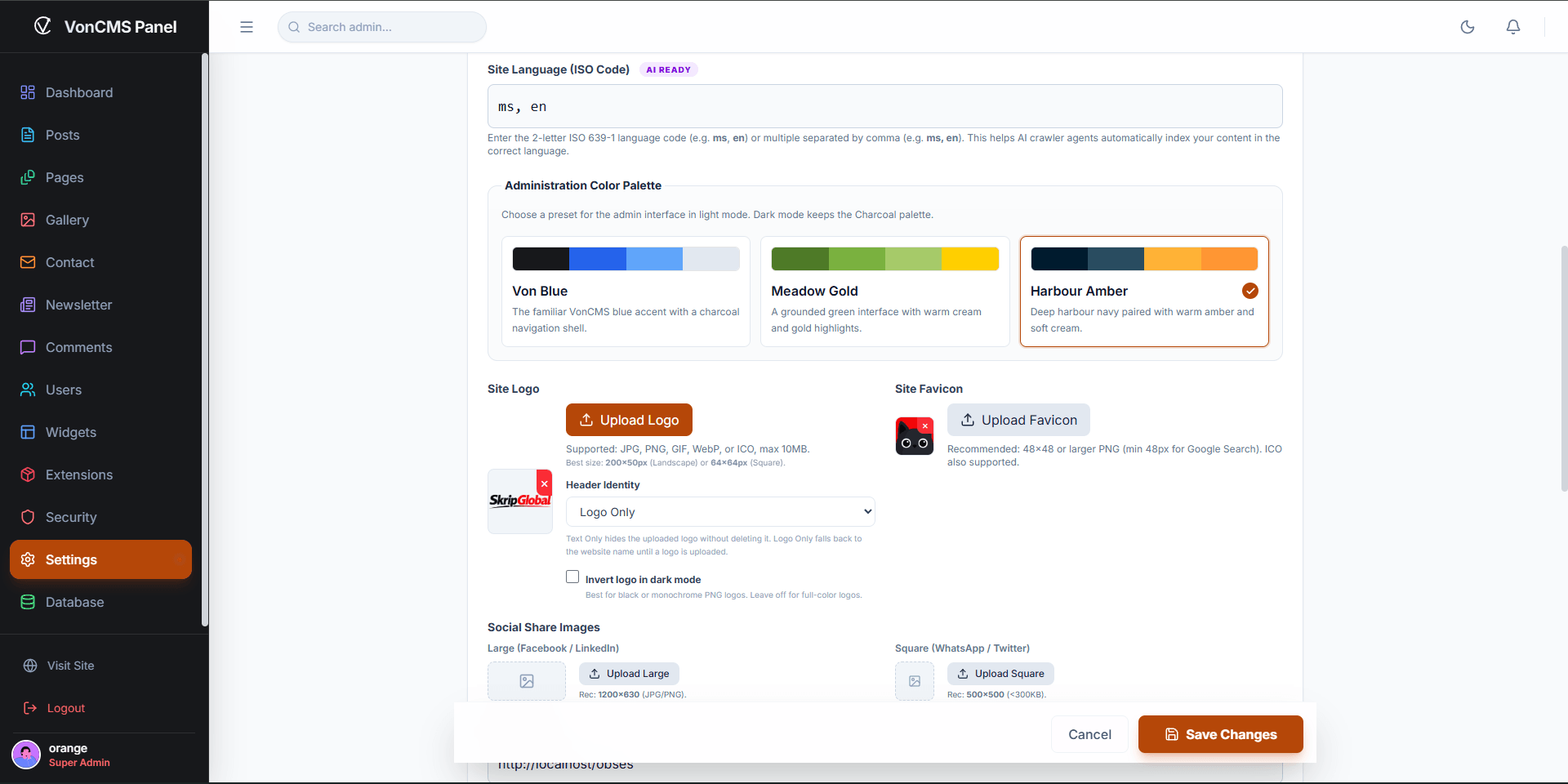
In Settings, the Administration Color Palette controls the admin interface in light mode. Choose Von Blue, Meadow Gold, or Harbour Amber. Dark mode keeps the Charcoal palette.
This changes your editorial workspace, not the selected public theme. Site logo, favicon, and social share images are separate identity settings.
Installer, Routing, And Updates
The installer uses public/install.sql and PHP endpoints under public/api/. Public routing is handled by public/index.php and .htaccess rules for install checks, maintenance mode, metadata, canonical URLs, redirects, and hydration.
Use the upgrade guide for the release you are installing. Repair rules or the database only when the release notes or System Tools identify a mismatch.
Scheduled posts are checked during normal public traffic. If your site can be idle at a scheduled publish time, configure the optional hosting cron described in the installation guide. Keep its secret in the X-Cron-Key header, not in the URL.
Upgrade Path
Back up the database and site files before every upgrade. Use the Deploy ZIP for a normal production replacement, and preserve site-owned files and directories during the process.
For supported installs, the dashboard updater is under Settings > System. For manual replacement, follow the matching package's guide and keep the live von_config.php, uploads, backups, and host-managed routing rules. Do not replace the working configuration with a sample.
- Review the current changelog and release notes.
- Back up the database, configuration, uploads, and backups.
- Replace the release-managed application files with the new Deploy ZIP.
- Open the homepage, one post, one page, and
/adminafter the upgrade. Check Database Status and run Database Repair only if it reports schema drift. - Follow the focused Upgrade guide for version-specific notes.
Database Manager and Backups
Database Manager operates on the database configured for this installation in von_config.php. It is not a database switcher or a replacement for server-level database administration.
- Backup: exports the database structure and rows. Physical uploads are not included, so copy those files separately for a complete site backup.
- Import: restores a VonCMS-generated SQL backup into the currently configured database. Confirm the target first; restoring can overwrite its existing tables.
- Safety backup: destructive restores require confirmation and a protected pre-import backup. This is a fallback, not a substitute for an external backup.
- Query: supports read-only inspection, not an unsafe SQL mutation mode.
- Repair: reconciles known VonCMS schema gaps. It does not repair low-level MySQL corruption.
If a restore fails after tables have changed, treat the database state as uncertain. Restore a known-good backup or follow the recovery guidance instead of repeatedly retrying on the live site.
Troubleshooting
Compare the public site and admin separately. Before destructive recovery, take an external backup and inspect the relevant server logs privately.
Security Notes
Keep the application and server up to date, use HTTPS, and review release-specific maintenance notes before upgrading a production site.
- Limit hosting, database, and admin access to the people who need it. Protect the installer setup key and site configuration.
- Authenticated SMTP requires TLS or SSL. If you use a reverse proxy, configure trusted proxies explicitly rather than trusting forwarded headers from everyone.
- Report suspected vulnerabilities through the repository's security guidance, not a public exploit walkthrough.
- Back up files and database before upgrades.
- Review security-sensitive PHP API changes with focused tests.
Source Setup
Use the source repository when you want to build a custom theme, extension, API change, or release package. Keep the terminal at the repository root so the project scripts resolve correctly.
Use a Git fork when you plan to contribute changes back. Production hosting still runs the Deploy ZIP and does not need Node.js.
Architecture
VonCMS is a compiled React application plus a PHP API/runtime. The public entry point handles routing, crawler metadata, install checks, maintenance mode, canonical URLs, redirects, and hydration data.
Plugins And Extensions
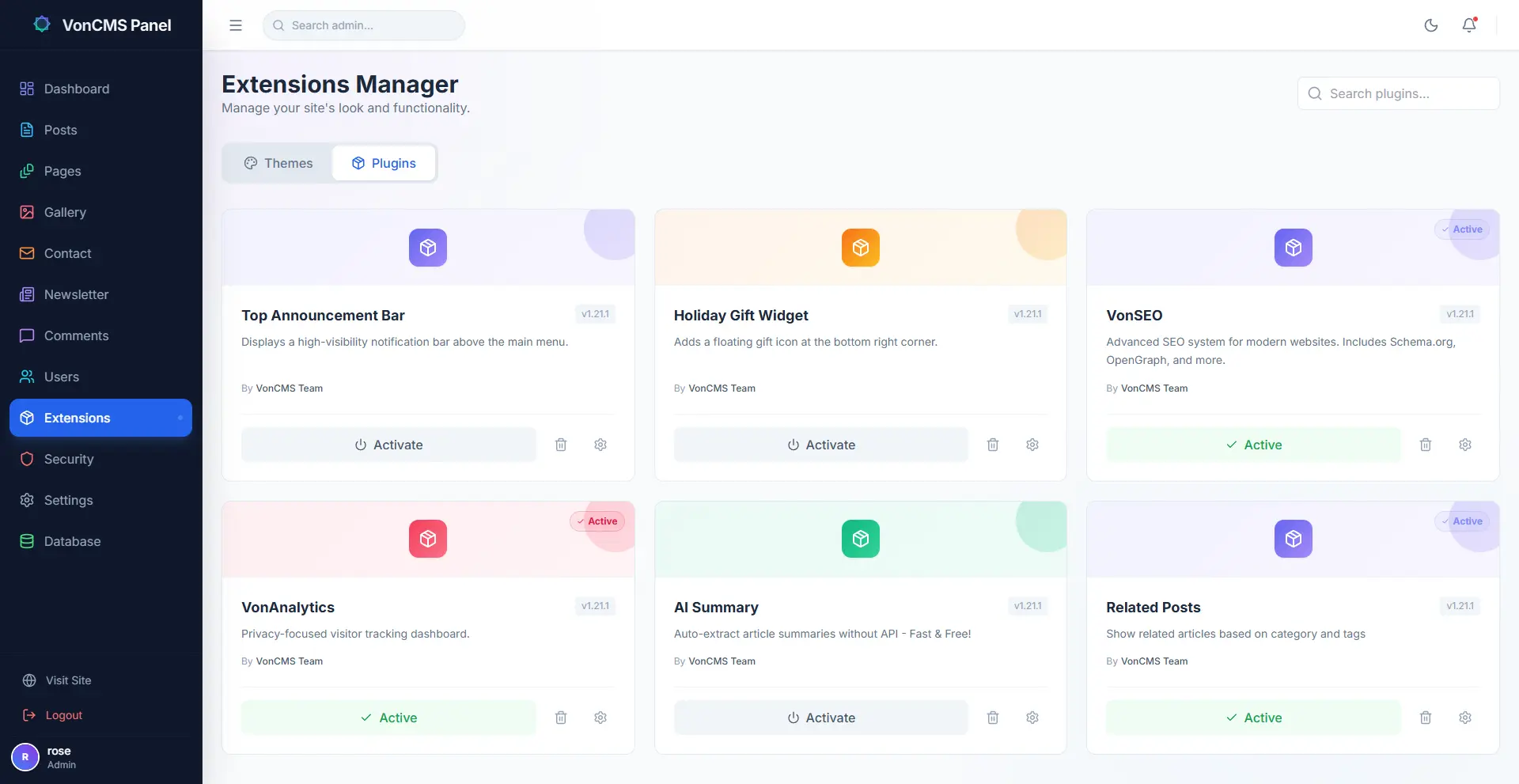
Plugins and extensions are for optional behavior such as SEO helpers, analytics, widgets, related posts, article blocks, campaign bars, integrations, and admin tools. Start with the Extension Development guide.
- Keep plugin settings explicit.
- Sanitize public HTML before output.
- Verify activation state in both admin UI and public theme runtime.
- Use existing APIs and shared renderers instead of duplicating runtime behavior.
- Start from the focused extension development guide when adding custom behavior.
Documentation Map
The full VonCMS developer and operator docs live in the source repository. Use the focused file for the area you are changing instead of treating the README as the only source.
Install & Upgrade
Installation, Features, Upgrade, and VPS deployment cover hosting, product scope, updates, and server notes.
Running Your Publication
User Manual covers daily publishing, roles, settings, themes, and troubleshooting. Database Manager explains backup, import, read-only queries, and repair.
Runtime Internals
API, Routing, VPS deployment, and Security cover runtime operation and review boundaries.
Customization
Extension development, Custom fonts, and the source workflow cover themes, plugins, optional behavior, and typography changes.
Project Truth
Changelog is shipped release truth. Contributing covers issues, pull requests, and security reporting. Release Notes cover package-specific changes.
Release Checks
Maintainer-level release work should run the full gate before packaging.
License and Brand Use
VonCMS is licensed under GPL-3.0-only. You may use, study, modify, and redistribute the software under its terms; third-party dependencies keep their own licenses. The software is provided without warranty.
The software license does not grant permission to use VonCMS names or logos to imply official endorsement of a modified distribution. Keep modified distributions clearly identified.